Lexeme1.4.1
Publisher Description


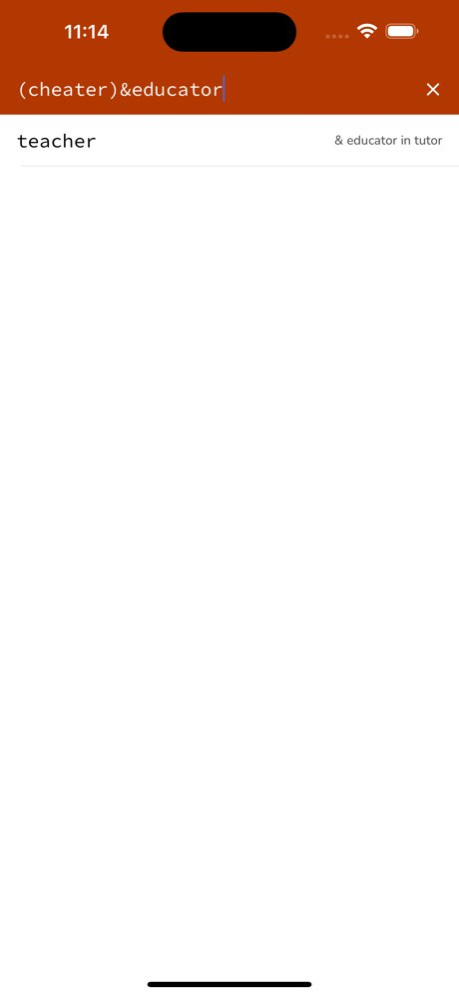
Lexeme is an advanced crossword completer and anagram solver. It has a simple syntax designed to suit the default keyboard and the constructions typically found in cryptic crosswords.
Lexeme can search for words and phrases where there are missing letters, anagrams of some or all letters, or a pattern inside another pattern at any position. It also has a built-in thesaurus that can be used to filter search results for a particular meaning.
Version History Routine software library updates. 1.4.1 Jan 12 Ability to search for multiple meanings. Updated code base and user interface. 1.4 05/17/2024 * Faster meaning searches, with multiple meaning support
* Fixed bug preventing dictionary from appearing in iOS 7 1.3 10/23/2013 * Diacritic support
* Proper noun searches
* Easily look up results in Wikipedia
* One column or many column options 1.2 05/22/2013 * Faster
* Better looking
* More flexible searches
* Expanded instructions
* Easy access to definitions in iOS dictionary
* Support for iPhone 5 bigger screen 1.1 03/12/2013 1.0 09/18/2012
About Lexeme
The company that develops Lexeme is Matthew Finn. The latest version released by its developer is 1.4.1.
To install Lexeme on your iOS device, just click the green Continue To App button above to start the installation process. The app is listed on our website since 2026-10-14 and was downloaded 44 times. We have already checked if the download link is safe, however for your own protection we recommend that you scan the downloaded app with your antivirus. Your antivirus may detect the Lexeme as malware if the download link is broken.
How to install Lexeme on your iOS device:
- Click on the Continue To App button on our website. This will redirect you to the App Store.
- Once the Lexeme is shown in the iTunes listing of your iOS device, you can start its download and installation. Tap on the GET button to the right of the app to start downloading it.
- If you are not logged-in the iOS appstore app, you'll be prompted for your your Apple ID and/or password.
- After Lexeme is downloaded, you'll see an INSTALL button to the right. Tap on it to start the actual installation of the iOS app.
- Once installation is finished you can tap on the OPEN button to start it. Its icon will also be added to your device home screen.
Program Details
System requirements
Download information
Pricing
Version History
version 1.4.1
posted on 2026-10-14
Version History Routine software library updates. 1.4.1 Jan 12 Ability to search for multiple meanings. Updated code base and user interface. 1.4 05/17/2024 * Faster meaning searches, with multiple meaning support
* Fixed bug preventing dictionary from appearing in iOS 7 1.3 10/23/2013 * Diacritic support
* Proper noun searches
* Easily look up results in Wikipedia
* One column or many column options 1.2 05/22/2013 * Faster
* Better looking
* More flexible searches
* Expanded instructions
* Easy access to definitions in iOS dictionary
* Support for iPhone 5 bigger screen 1.1 03/12/2013 1.0 09/18/2012
version 1.4.1
posted on 2026-01-12
Routine software library updates.
version 1.4
posted on 2024-05-17
May 17, 2024
Version 1.4
Ability to search for multiple meanings. Updated code base and user interface.
